
Walkthrough
See the app from every side.
Tap through the real app the way each person uses it: training on your own, on a team, as a coach, and as an organization. Nothing to install, and nothing you do here is sent anywhere.
On your own
An athlete training at home, between sessions and in the off-season.
-
Step 1 of 8
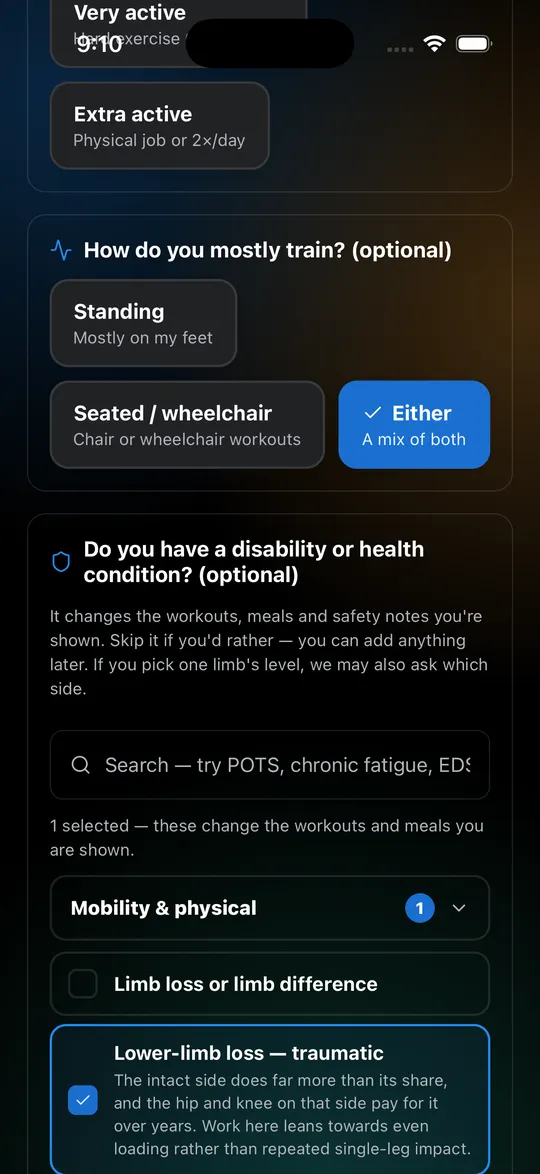
Tell it about your body
A few quick questions build your plan: your goal, how you move, and anything the app should plan around. Everything past the basics is optional.
- Standing, seated or in a wheelchair, or either
- Limb loss and 63 other conditions to choose from, none of them required
- Change any answer later and the app adjusts
Who sees thisOnly you. Your answers stay on your phone.
-
Step 2 of 8
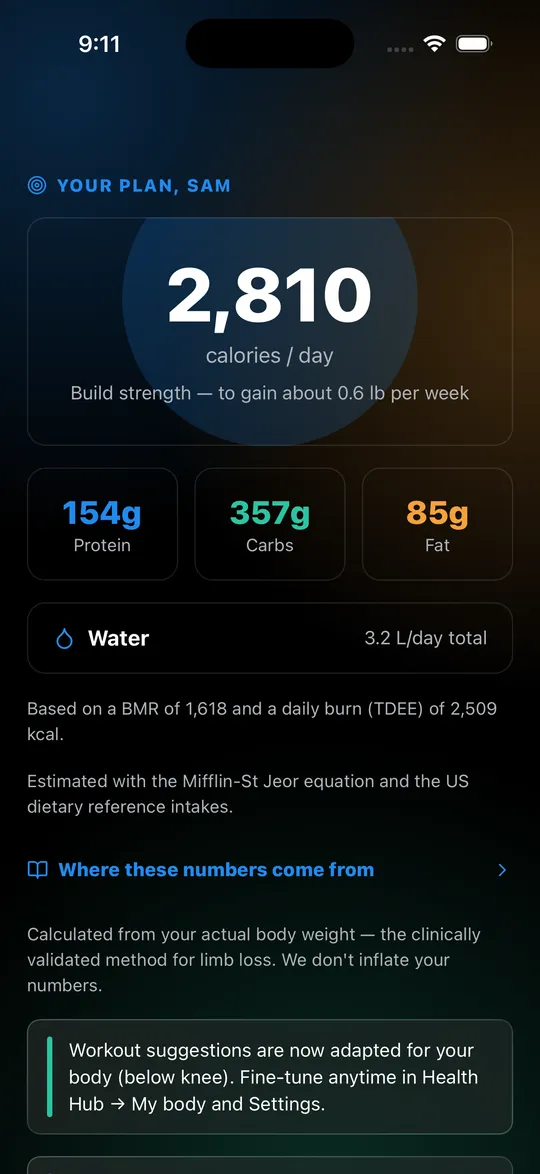
A plan built around it
Your answers become a plan right away. Workouts and stretches are sorted for the body you told it about, and food targets come from your profile.
- Calorie and macro targets from your profile. After limb loss, the BMI checks behind them allow for the missing limb
- A free trial of the whole app, with nothing to sign up for
-
Step 3 of 8
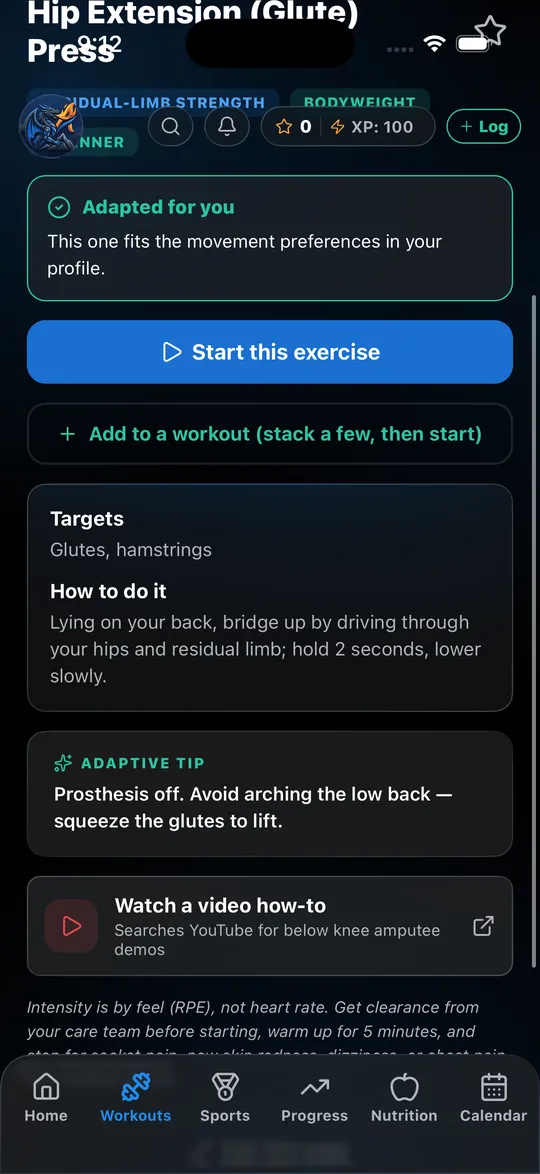
Every exercise, adapted
227 exercises, each with how to do it and an Adaptive tip for doing it your way. The ones that fit your profile say “Adapted for you”.
- 20 residual-limb strength moves, 28 seated and wheelchair moves, balance, cardio and standard training
- 75 stretches and mobility moves, and 21 short routines
- Nothing is hidden. You can pick any exercise in the app
-
Step 4 of 8
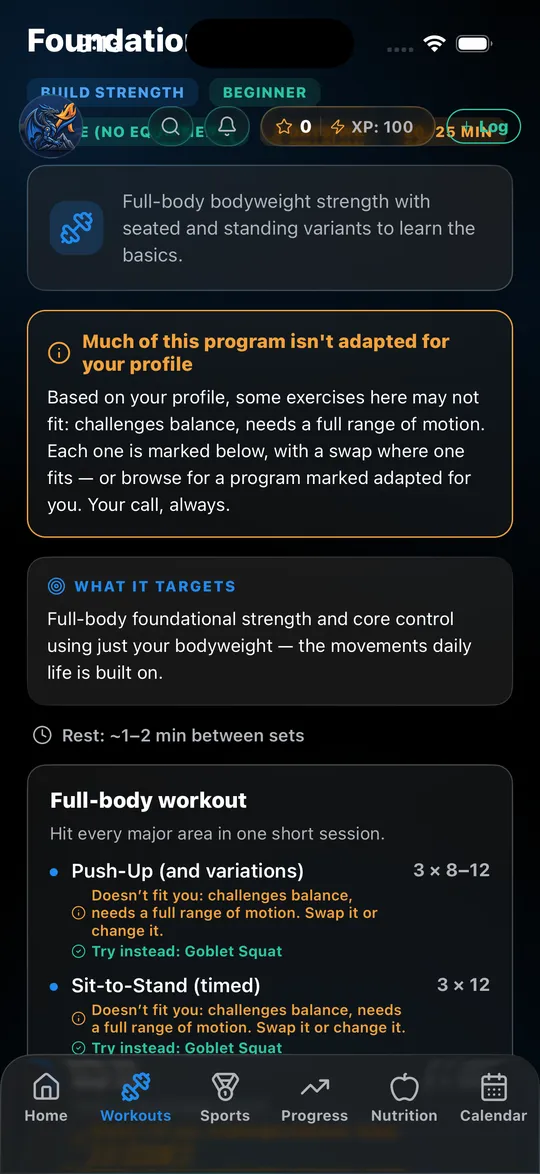
Programs that say how well they fit
60 ready-made programs. When a move doesn’t fit your body, the app says so and offers one that trains the same thing.
- Swaps are a suggestion. Your call, always
- Guided sessions log one set at a time, with a rest timer
- Effort is measured by feel, never by pace
-
Step 5 of 8
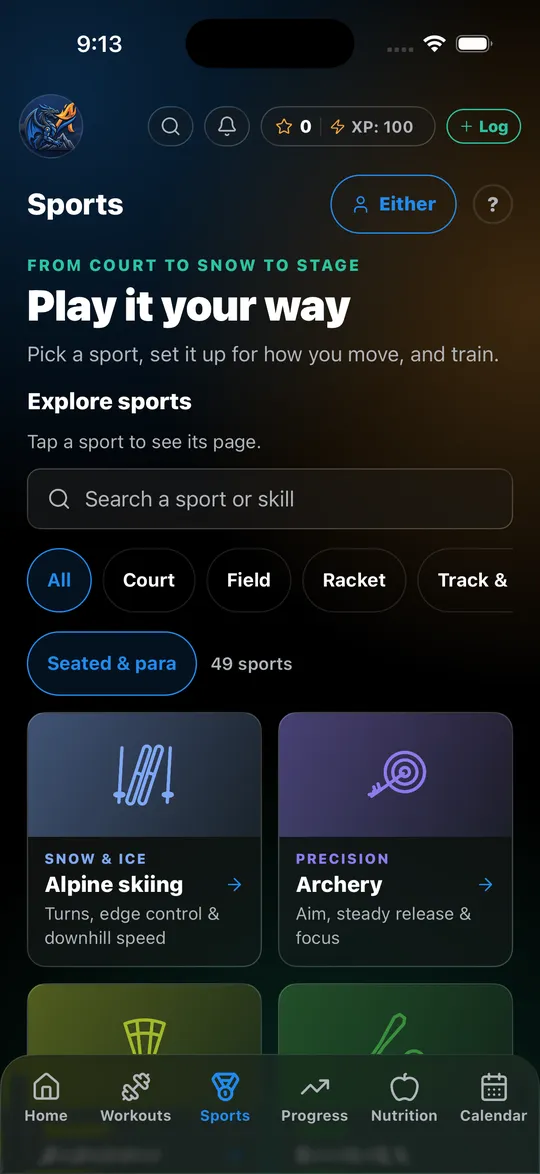
77 sports, with a seated and para filter
Each sport has drills, a season and game days. One tap narrows the list to the sports with seated and para versions.
- Skiing, snowboarding, sled hockey, wheelchair basketball, swimming, cycling, bowling, pickleball, golf, archery, dance and more
- Log practices and games, and see your season
-
Step 6 of 8
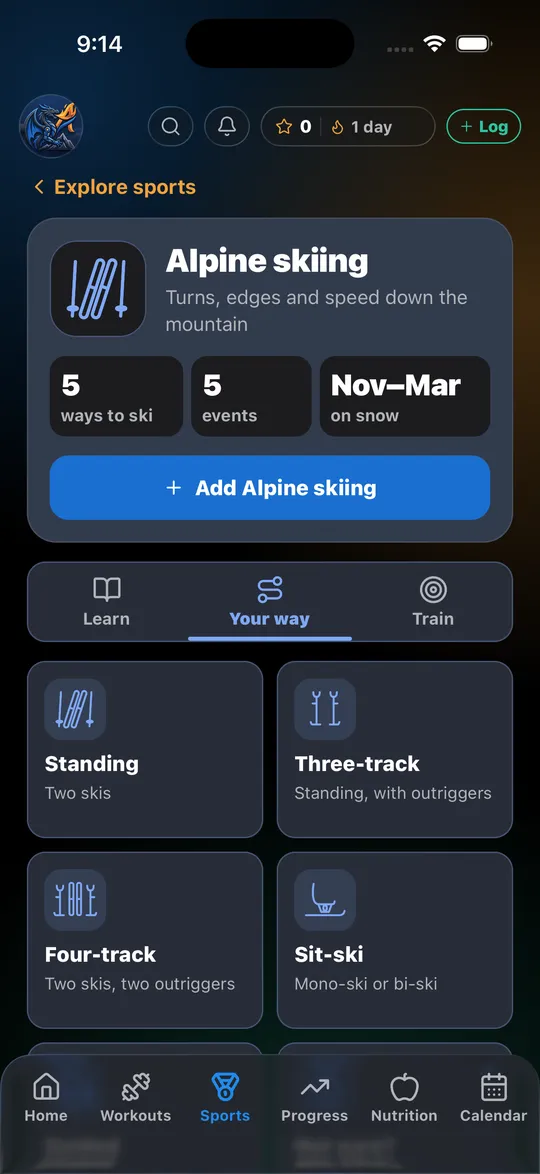
Your sport, played your way
Pick how you play and the sport’s page sets itself up for it. Alpine skiing has standing, three-track, four-track and sit-ski on a mono-ski or bi-ski.
- Training between ski days and in the off-season
- Safety notes where a sport needs them
-
Step 7 of 8
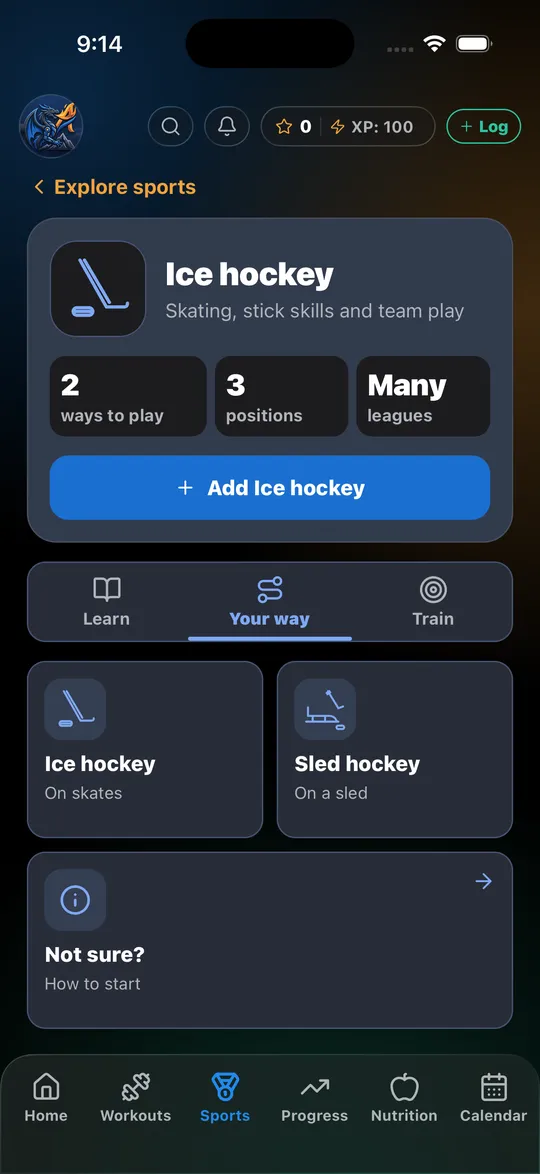
Sled hockey, wheelchair basketball and more
The adaptive version of a sport lives on that sport’s own page: sled hockey under ice hockey, wheelchair basketball under basketball.
- Handcycling and tandem under cycling, para swimming under swimming
- Search finds a sport by its adaptive name, like “sled”
-
Step 8 of 8
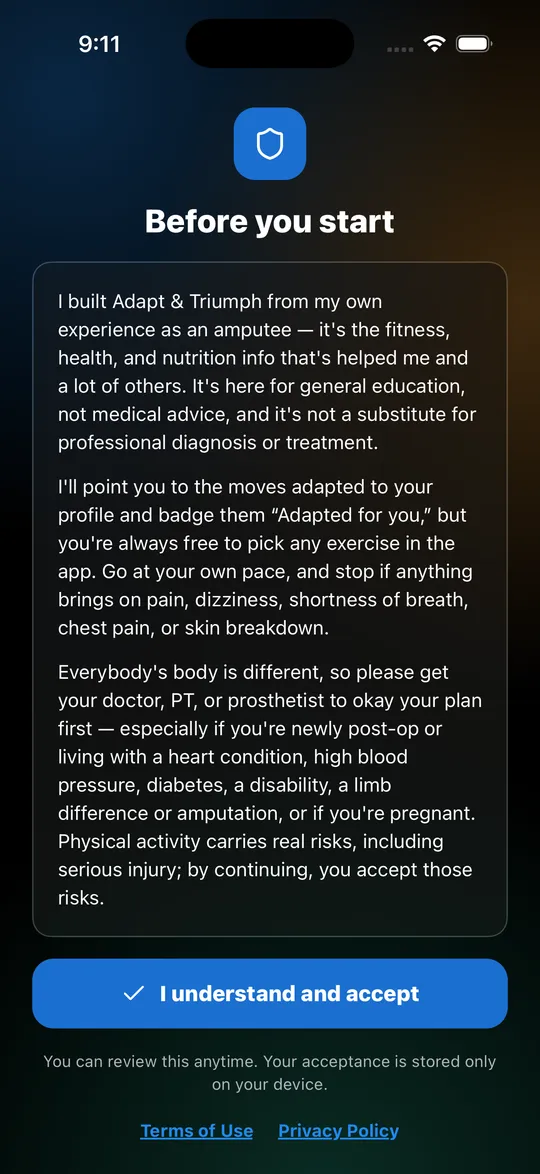
Built by an amputee, honest about its limits
Before you start, the app says plainly what it is: general education from someone who has lived it, not medical advice, and no stand-in for your care team.
- Not a medical device
- Stop if anything brings on pain, dizziness or skin breakdown
Your privacyYour workouts, food log, weight, and health info stay on your phone. We can’t see them. Only things you choose to use, like a sponsor code, a team, or a coach, send basic counts to our server. No account is required, there are no ads, and we never sell data.
On a team
An athlete training with teammates, or on a coach’s team, between practices.
-
Step 1 of 8
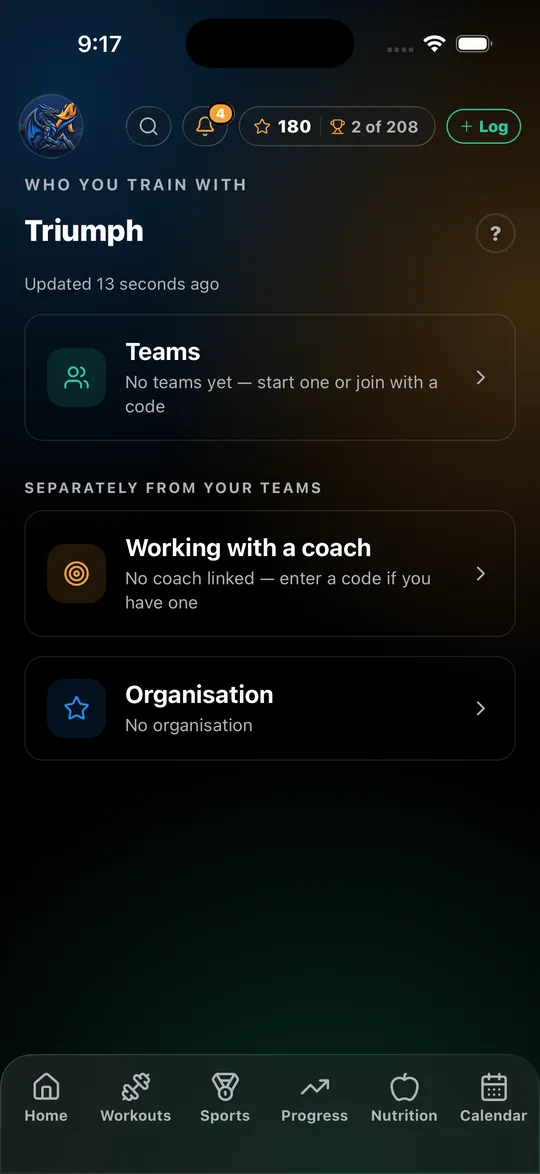
Who you train with, in one place
Your teams, your coach and your organization each have their own place in the app, and they’re kept separate.
- Private teams of up to 14 people
- No public feed and no strangers
-
Step 2 of 8
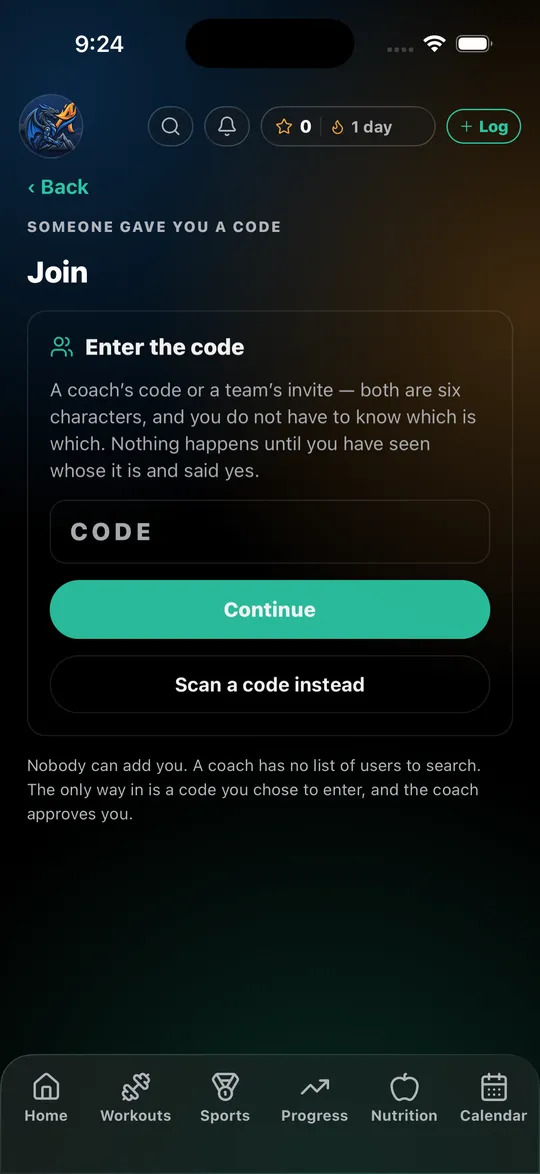
Join with a code
A teammate or coach gives you a six-character code. You type it in, or scan their QR code.
- Nobody can add you, and there’s no list of users to search
- On a coach’s team, the coach approves each player
-
Step 3 of 8
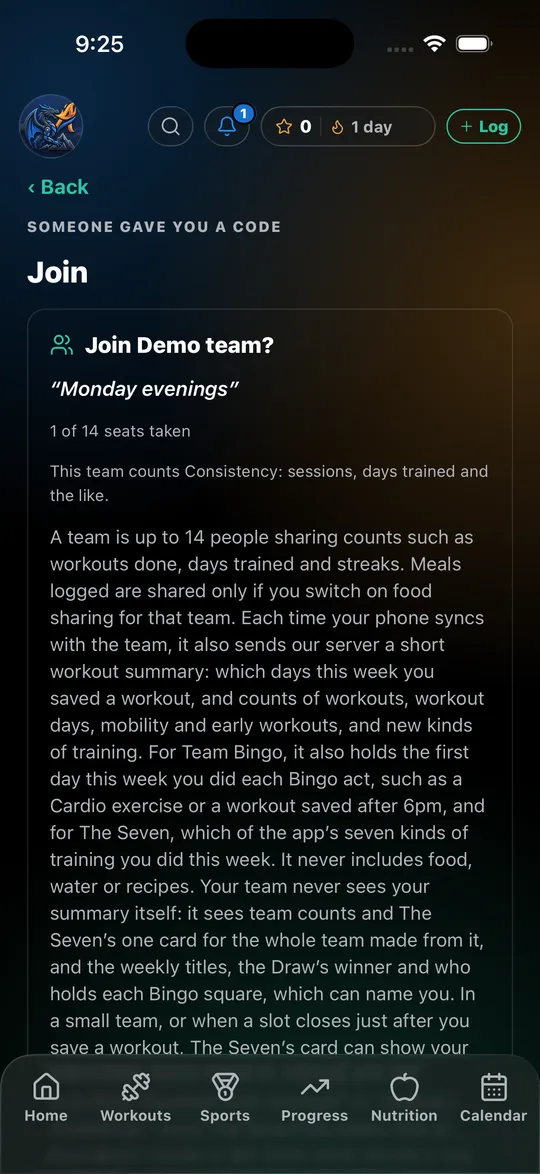
See the team before you join
The app shows whose team it is and exactly what the team will see, before anything is shared.
- Reject, and nothing is shared and nobody is told
- Leave whenever you like
-
Step 4 of 8
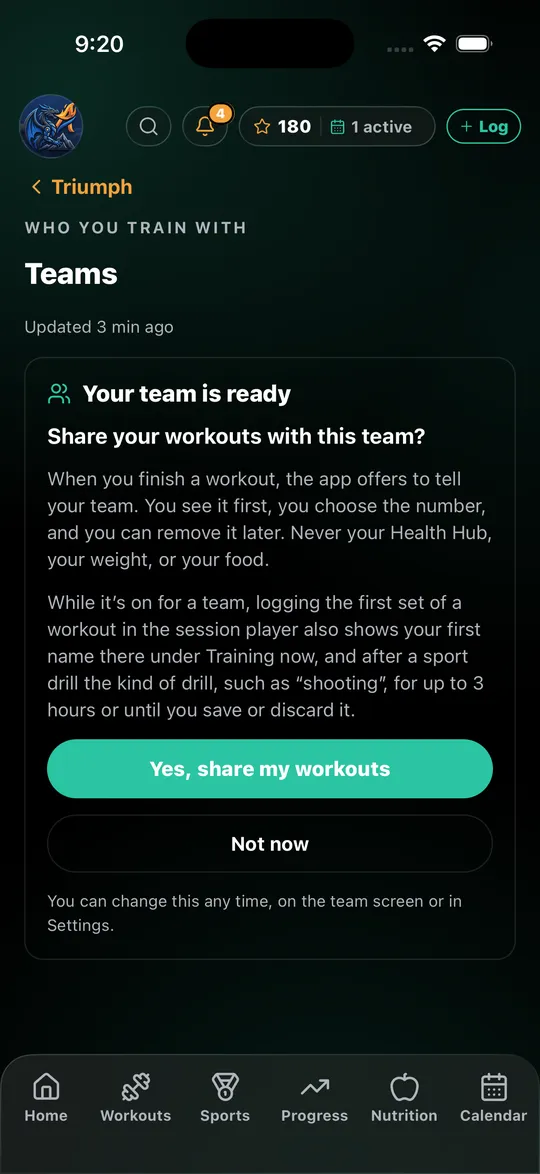
You choose what’s shared
Sharing workouts with a team is a choice you make, and you can change it any time.
What your team seesYour first name and the count you choose to share. Never your Health Hub, your weight or your food.
-
Step 5 of 8
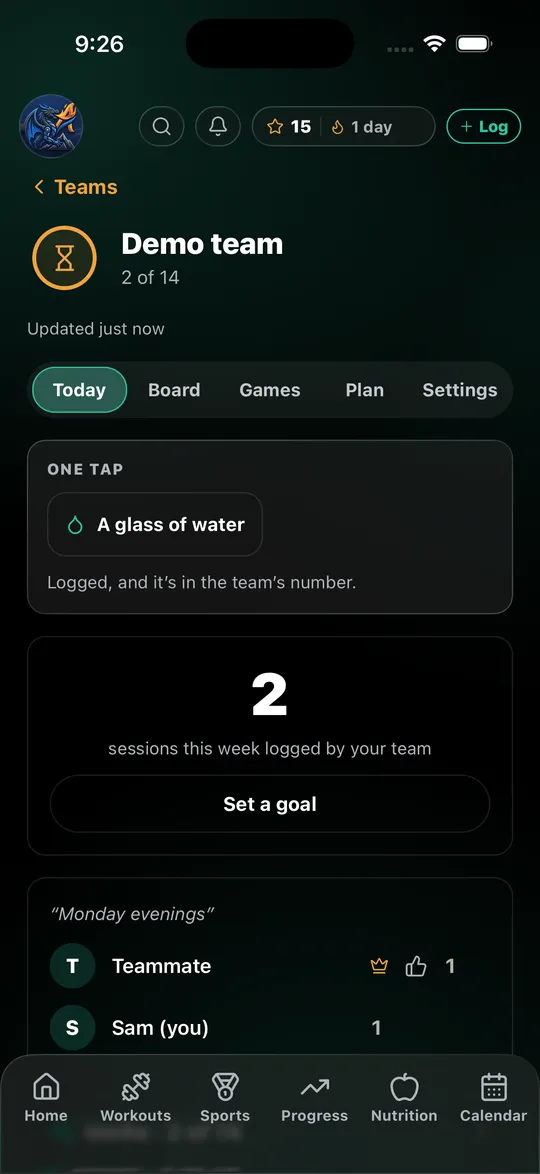
One shared total for the week
Every session anyone logs adds to the team’s number. Set a weekly goal and work toward it together.
- One-tap moves for a quick win on a busy day
- Team games, team against team, and training tournaments
-
Step 6 of 8
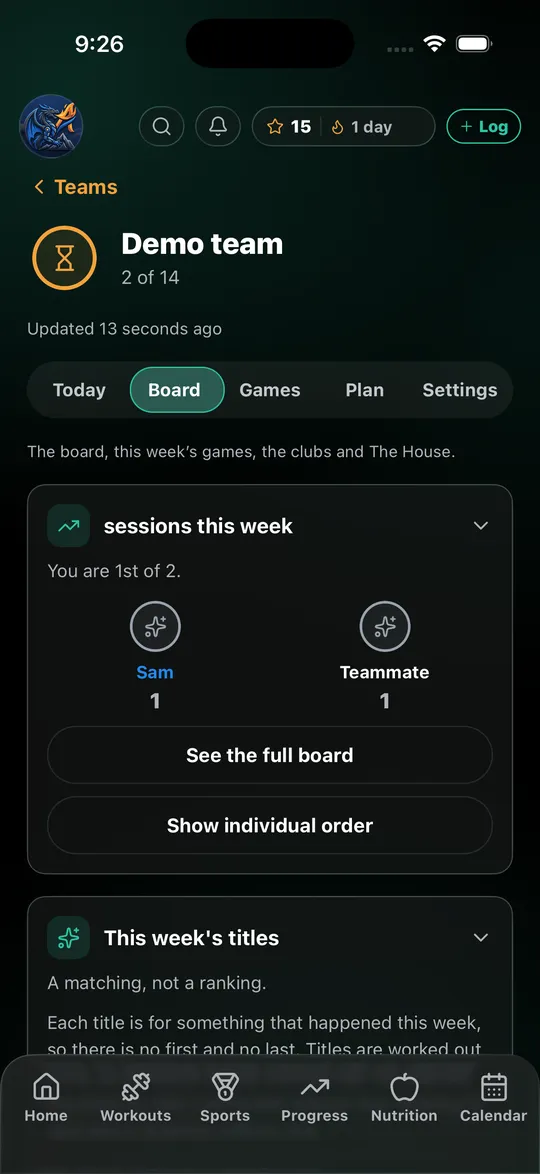
A board that never shames
The board celebrates showing up. Weekly titles are “a matching, not a ranking”, so there’s no first and no last.
- Take yourself off the board any time
-
Step 7 of 8
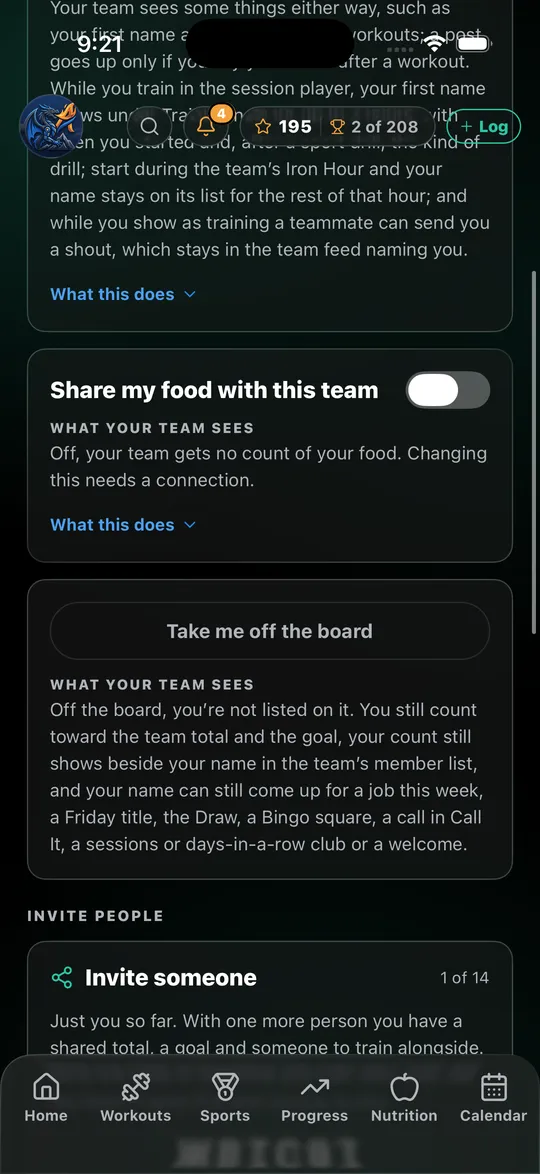
Food stays private
Food sharing is off unless you turn it on, and even then a team only sees a count.
- Every sharing switch is in the team’s settings
-
Step 8 of 8
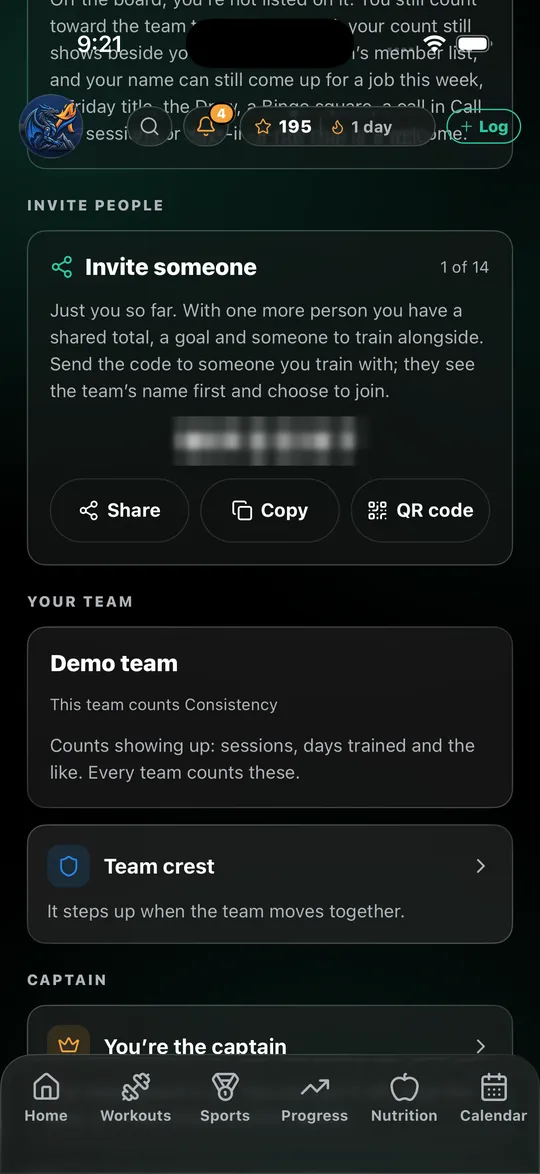
Or start your own
Anyone can start a team with the people they train with. Share the code, and they see the team’s name first and choose to join.
- Share, copy, or show a QR code
- Up to 14 people, you included
Coach
A coach with one-on-one clients, a sports team, or both.
-
Step 1 of 5
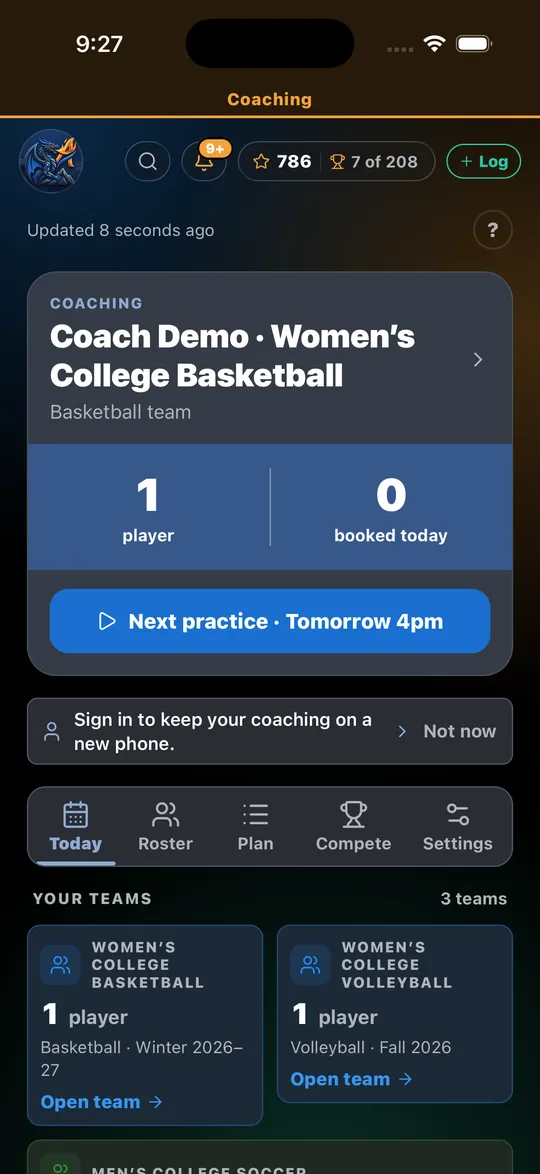
Your teams at a glance
Coaching has its own side of the app. Today shows the next practice and each team you run. Roster and Plan hold your one-on-one clients.
- Several teams, each with its own sport and season
- Coach is a plan in the app. Signing in is optional, to keep your coaching on a new phone
-
Step 2 of 5
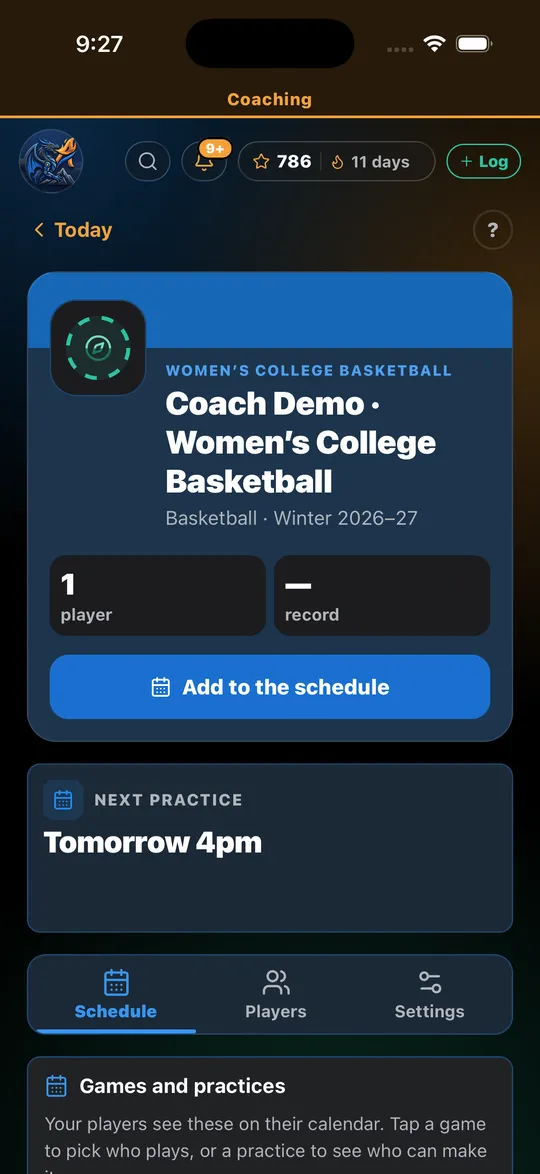
A page for each team
Book practices and games, and your players see them on their calendar. Tap a practice to see who can make it.
- Book the same days each week, then move or cancel one
- Pick who plays in each game
-
Step 3 of 5
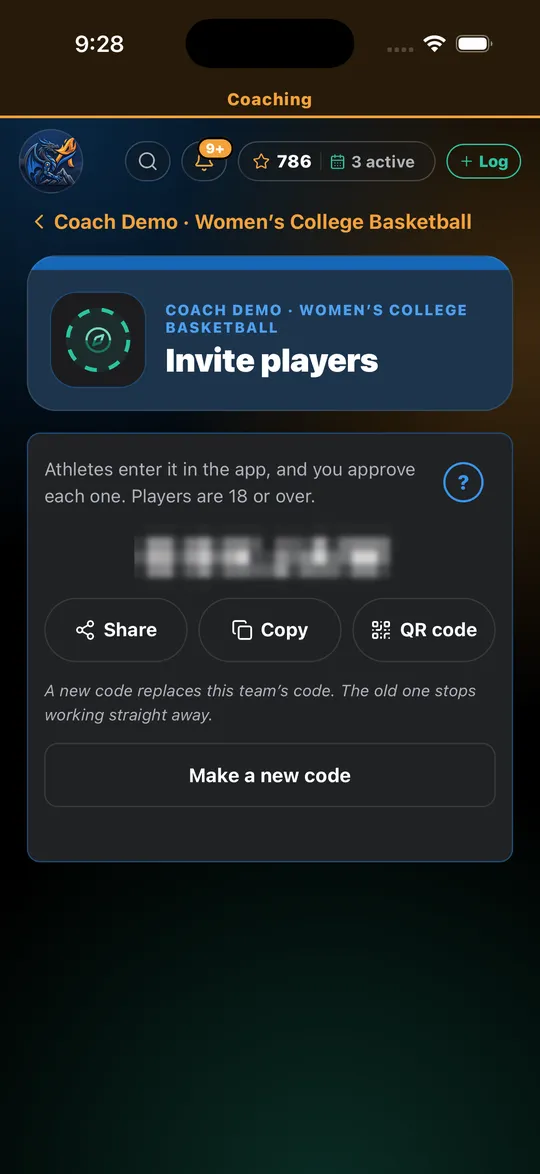
Invite players with the team’s code
Athletes enter the code in the app, and you approve each one. Players are 18 or over.
- Share, copy, or show a QR code at practice
- Make a new code and the old one stops working straight away
-
Step 4 of 5
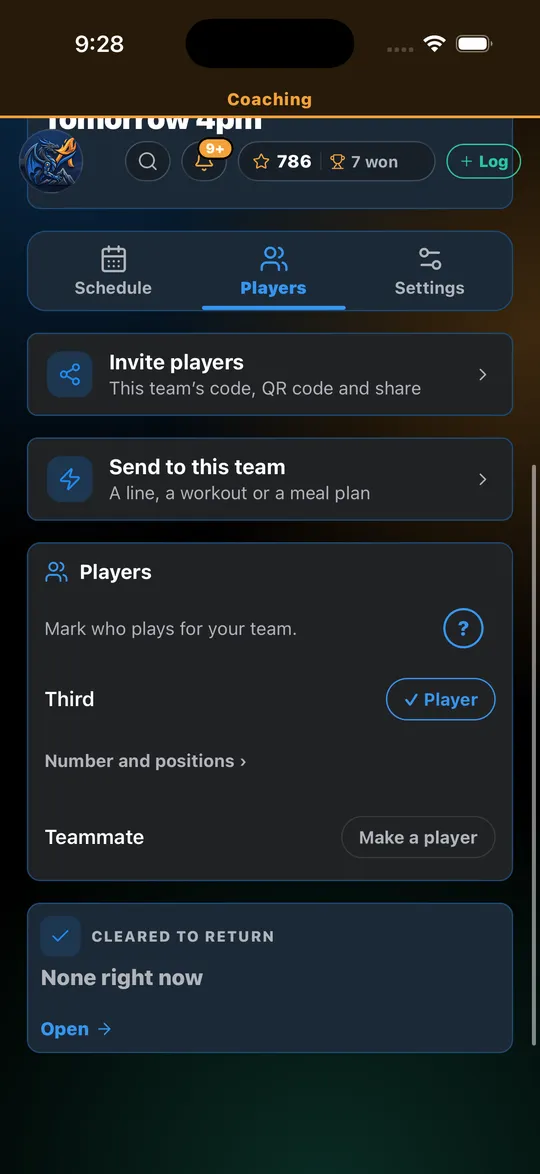
Your roster
Mark who plays, add numbers and positions, and see who has been cleared to return after time out.
What a coach seesA first name, an age group, and the sessions they complete against what you assigned. Never their Health Hub, weight, measurements or food log. A coach can’t search for anyone or add anyone.
-
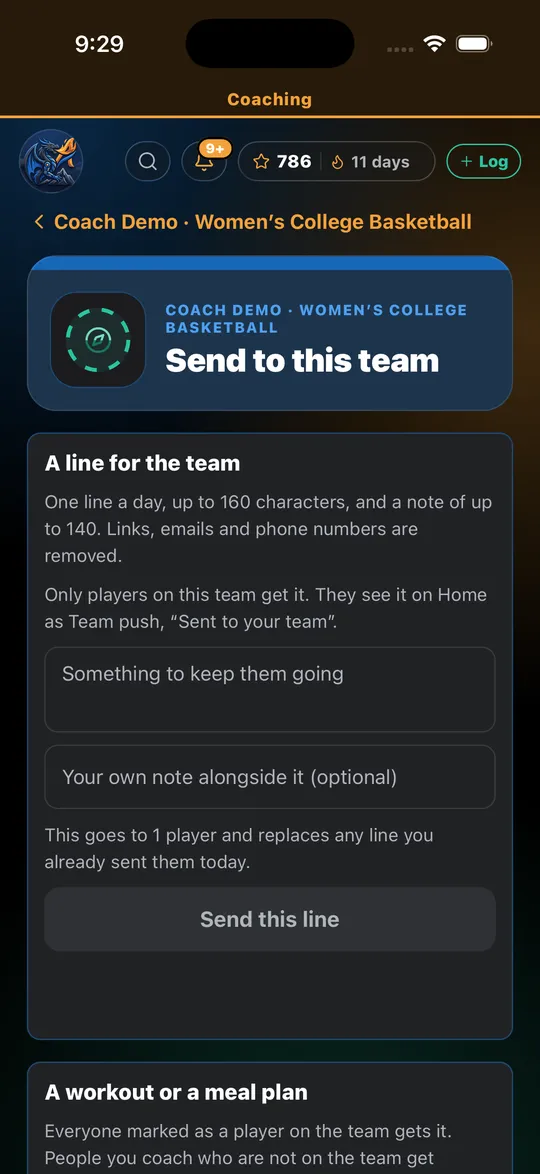
Step 5 of 5
Send the team a line or a plan
One short line a day to keep the team going, or a workout or meal plan for everyone marked as a player.
- Players see the line on Home
- Links, emails and phone numbers are removed
Organization
A clinic, a nonprofit or an adaptive sports group sponsoring a program for its people.
-
Step 1 of 5
Your members get the whole app
Your program covers your members’ access, and they get everything in the other three views. Your organization sits in its own place in the app, apart from their teams.
- On iPhone, iPad and Android
- They sign in with the email you added. No code to type
-
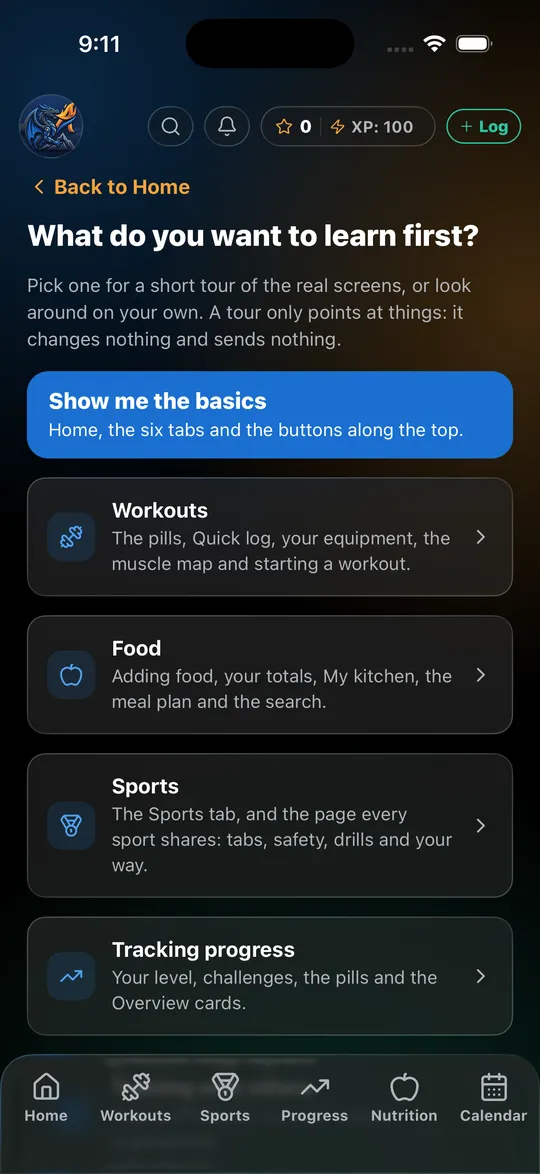
Step 2 of 5
They can learn it on their own
After setup, the app asks what each person wants to learn first and walks them through it with short guided tours.
- Help on every page, and every tour available any time
- Less for your staff and volunteers to explain
-
Step 3 of 5
Your coaches run their teams in it
Coach tools for the coaches who work with your members come with your program, at no extra cost. Coaching and your organization are kept separate.
- Practices, games and rosters, as in the Coach view
-
Counts, never people.
- How many joined, check-ins and class check-ins
- No activity numbers until 5 people have joined
- No one’s workouts, health, food or weight
Step 4 of 5
What an organization sees
You see how your program is doing as a whole. You can’t see who joined, who came in, or how any one member is getting on.
Try the portal: on its sign-in page, press “Try the demo”.
-
Start with a free 90-day pilot.
- You add your members by email
- They sign in with that email. No code to type
- A short check-in each month, and a review together at 90 days
Step 5 of 5
Getting started
We’re choosing 3 to 5 founding partners. Each starts with a free 90-day pilot. Deals are by conversation, not checkout.
These are screens from the iPhone app. Android looks the same apart from the phone’s own buttons. The people, teams and numbers in them are samples, and team codes are blurred. The app is for adults, 18 and up. It isn’t a medical device and doesn’t give medical advice.
Try it on your own phone.


On iPhone, iPad and Android. In the US and Canada only for now.